
Training cycles for iPhone
Every target has a reason.
Build a complete cycle for strength, skills and mobility. See why your targets change, and adapt a session without losing your plan.
14-day free trial for eligible new subscribers · For iPhone with iOS 18 or later
Why this target?
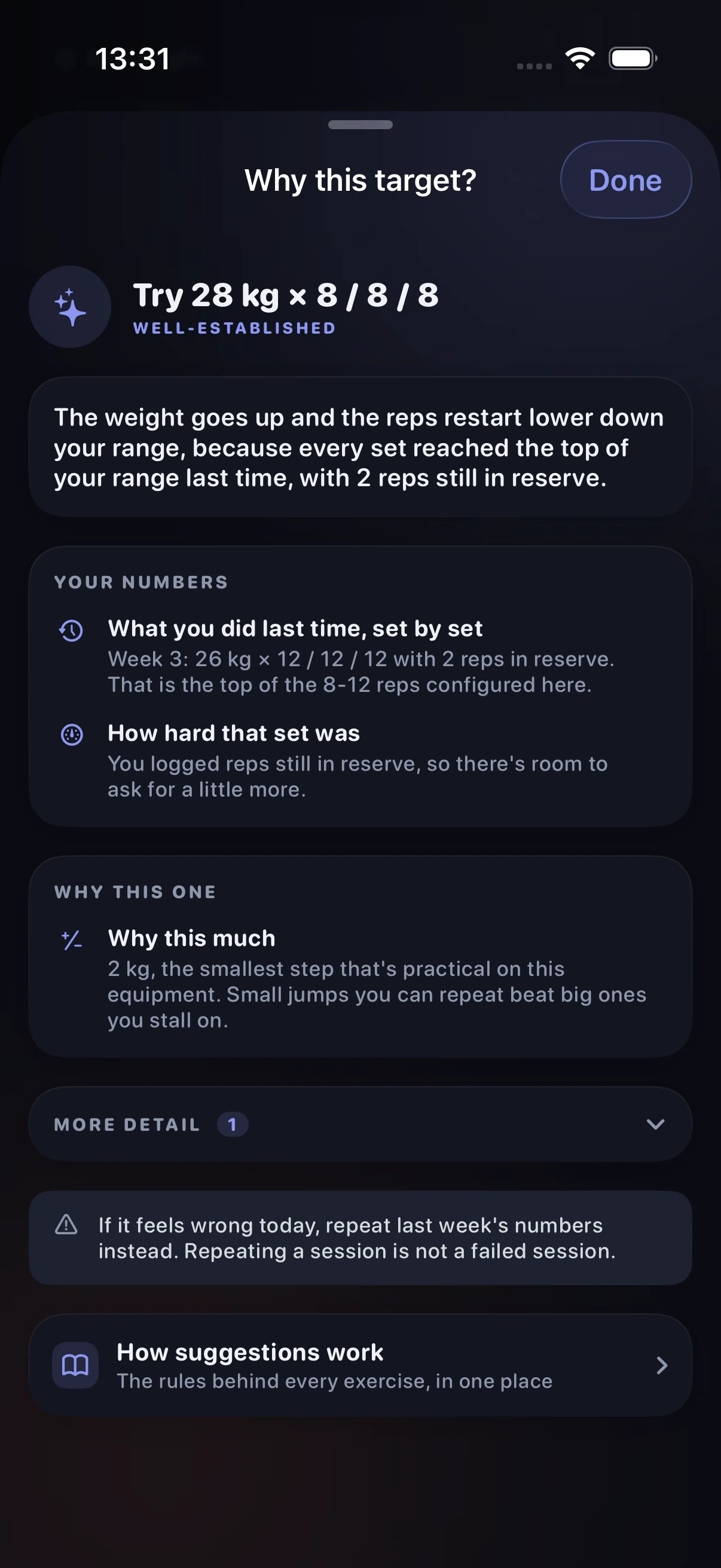
Every set topped your range with reps to spare, so the weight goes up.
One connected cycle
A complete cycle, not disconnected workouts.
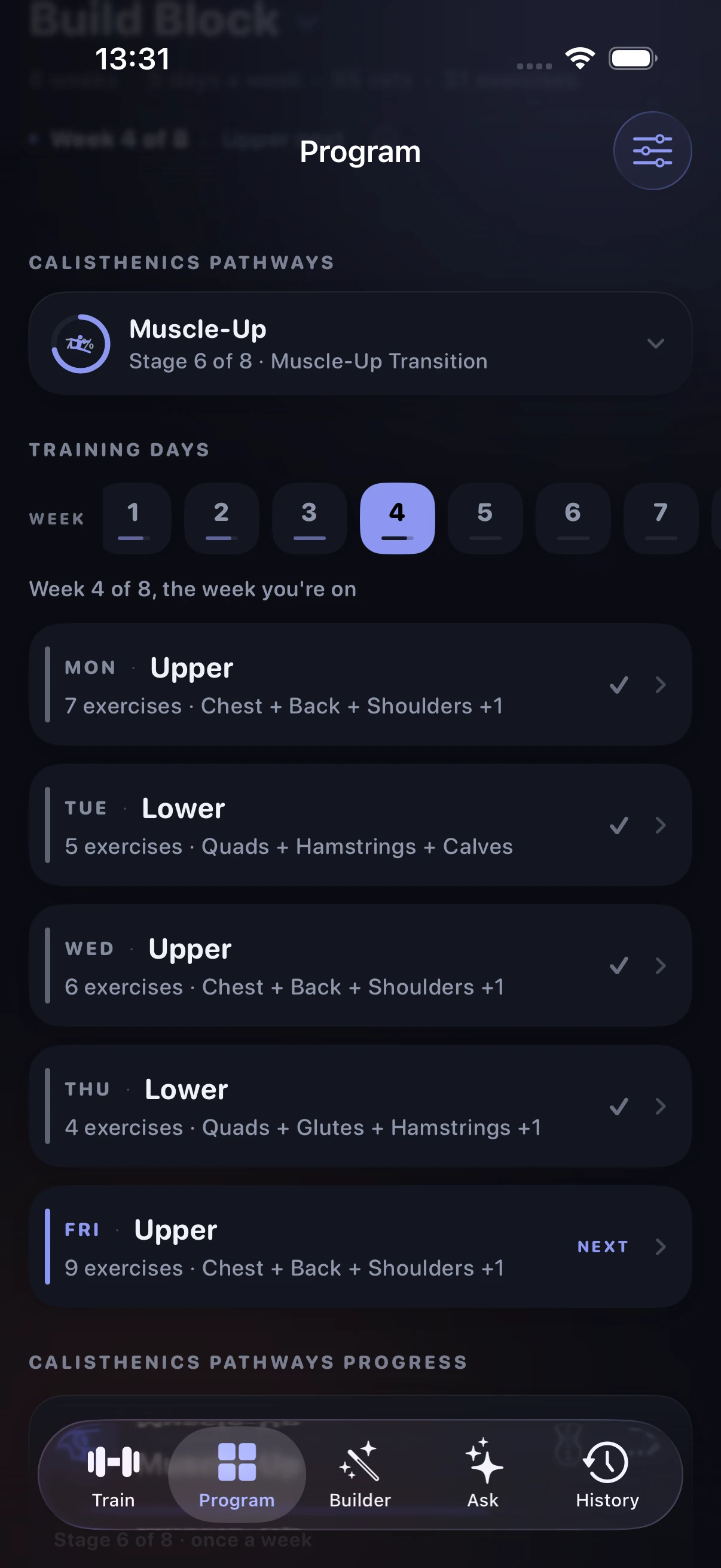
The program you build is the program you log. Your targets, pathway stages and history all work from the same multi-week plan.
- Plan Every day and exercise for the whole cycle.
- Log Each set recorded against that plan.
- Progress Next targets and pathway stages that follow what you log.
How it works
From goals to progress in four steps.
-
1
Choose your goals and schedule
Tell Builder what you’re training for, which days you can train, how long you have and what equipment you can use.
-
2
Review and edit your cycle
See every day and exercise with the reason it was chosen. Swap, remove or describe a change before anything is saved.
-
3
Train and log your performance
Log weight, reps and reps in reserve for each set, with a rest timer on every exercise and a suggested target once there are sets to work from.
-
4
Adapt and progress with context
Change a session when you need to, see why each next target was set, and move up a pathway when you decide you’re ready.
Build your program
Build a full cycle around your goals.
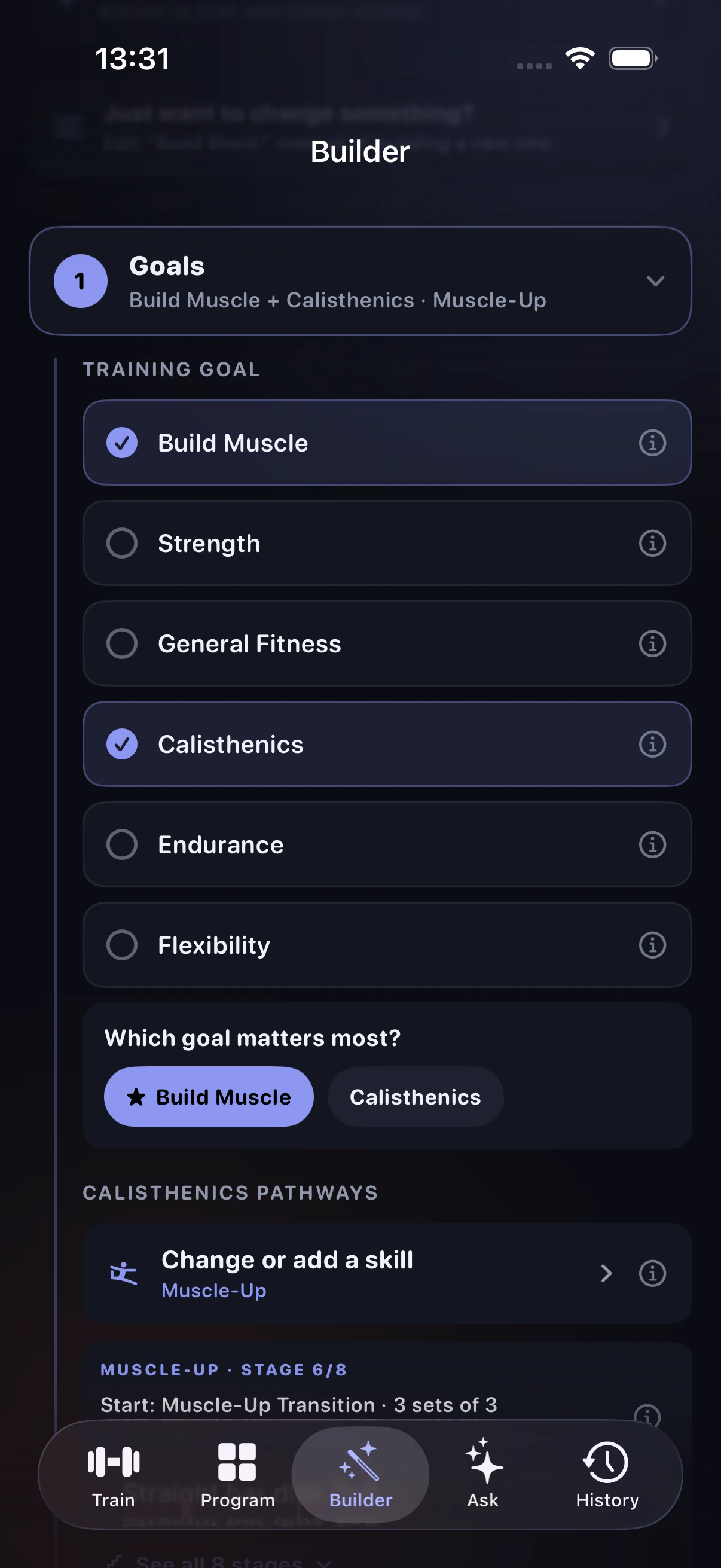
Builder turns a short set of answers into a complete multi-week cycle: every day, every exercise and the reason each one is there. You review it and change what you want. Nothing is created until you save.
- Training goals
- Training experience
- Days per week and which days
- Max workout duration
- Cycle length
- Equipment for this cycle
- Exercises you prefer or avoid
- Priority muscle groups
- Calisthenics Pathways
- Flexibility and Mobility Pathways
Reviewing and editing before it’s built
The review screen lists each day with its exercises, sets, rep ranges and a short reason for every choice. Swap an exercise for a suggested alternative, remove one, or type what you’d like changed under Anything you’d change? and EmberRise rebuilds it and lists exactly what changed in the new version.
Prefer a conversation? Choose Rather talk it through? to answer with Ember instead. The result opens in Builder for you to review. You can also type in your own program.
Train with clear targets
Know the target, and the reason for it.
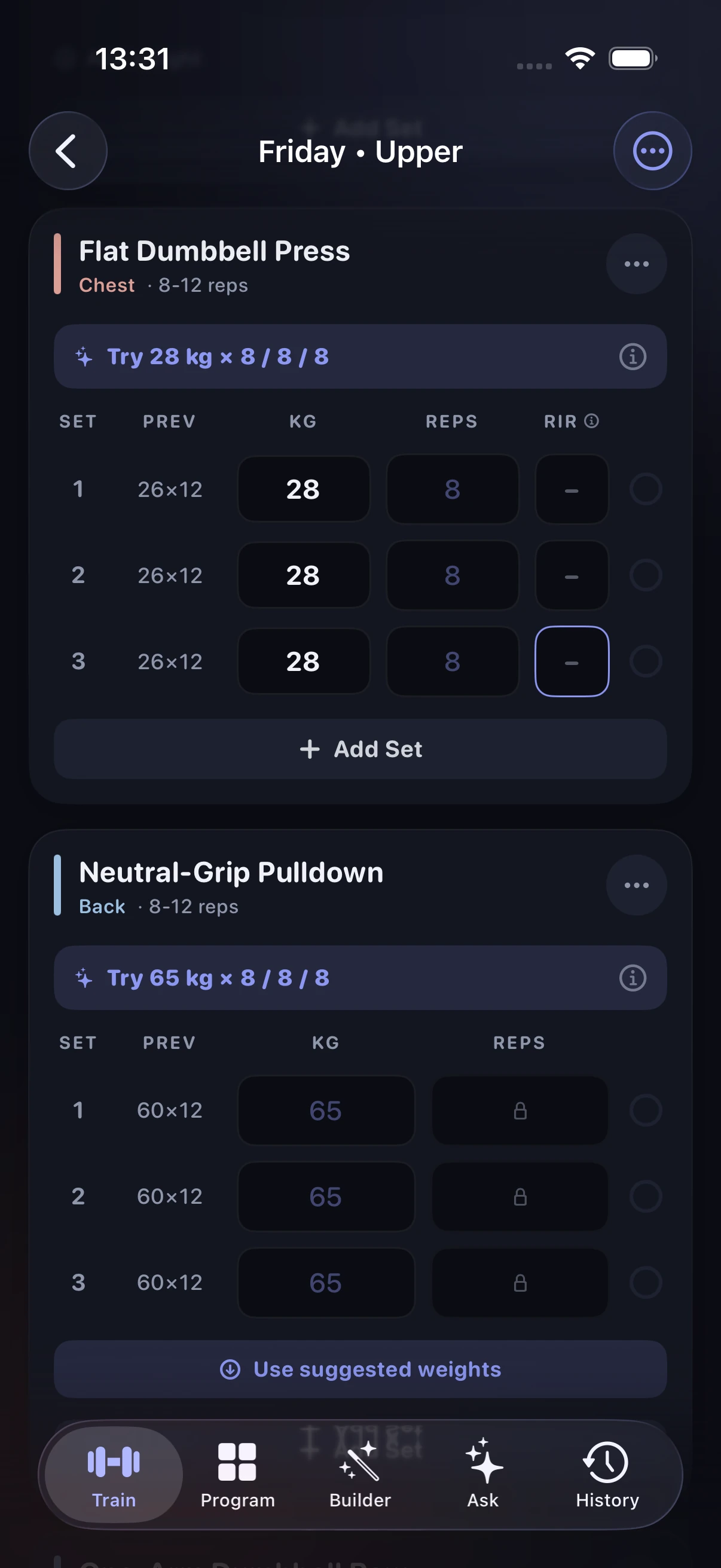
Once you’ve logged an exercise, it opens with a suggested next target based on your recent sets. Tap it and “Why this target?” shows the sets it came from, how hard they were and why the step is that size.
- Log weight, reps and reps in reserve for every set.
- New exercises start from what you log. If you’ve recently trained something similar, you may get a deliberately light starting point instead.
- A rest timer starts when you log a set, timed to the exercise.
- If a target feels wrong today, repeat last week’s numbers. As the app puts it: repeating a session is not a failed session.
Adapt without disruption
Change today without rewriting the week.
Short on time, missing equipment or not feeling a movement? Adjust the session in front of you and choose how far the change reaches. Workouts you’ve completed stay exactly as you logged them.
Short on time? Ask Ember what to prioritise. It can look at that session and the rest of your week.
Replace an exercise
Today onlyRemaining cycle
Replace a warm-up or stretch
Just todayRemaining cycle
History stays intact. A replacement changes the plan ahead. Sets you’ve already logged are never rewritten.
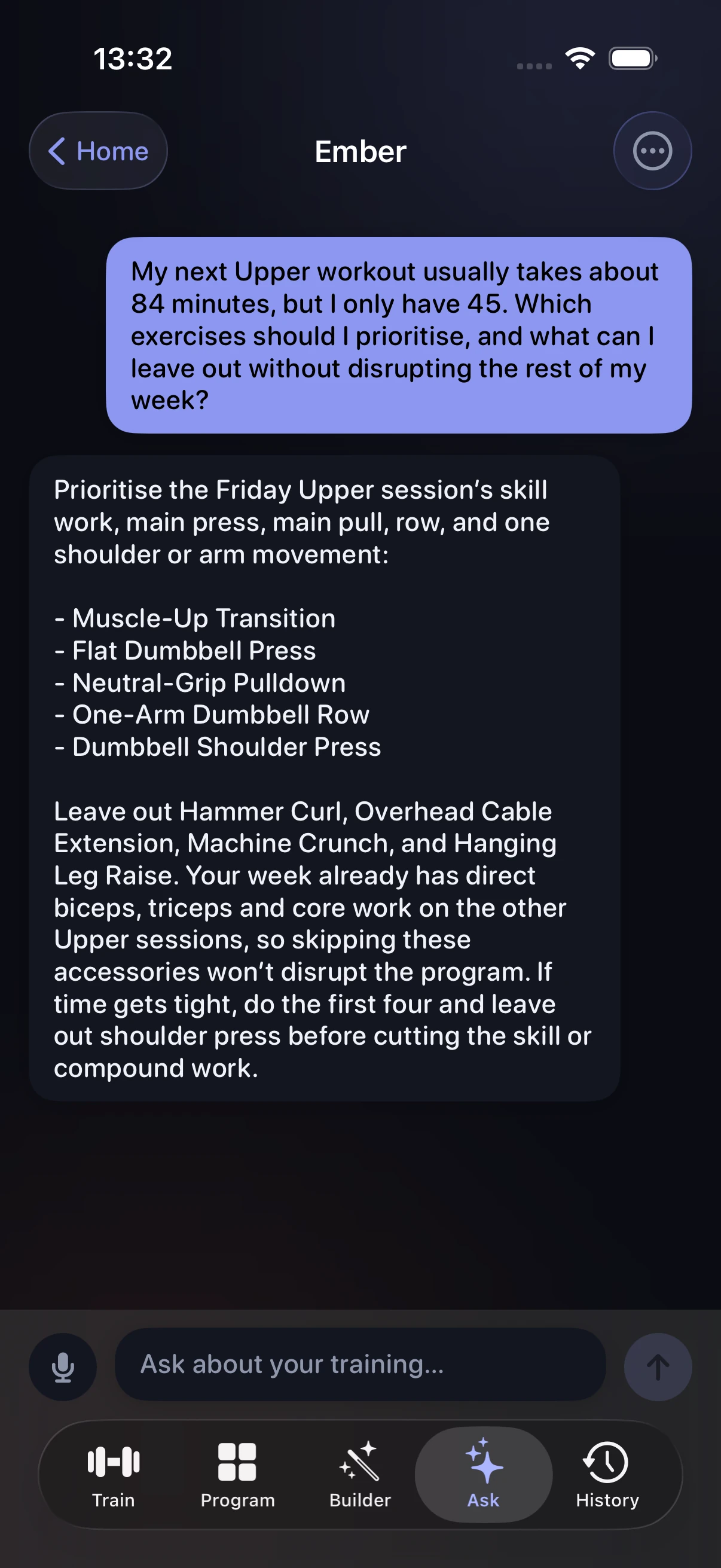
Ask Ember
Ask about your training, in context.
Ember is the training assistant built into EmberRise. Answers about your training can draw on your program and logs. General training questions get a general answer, without reading your logs.
Ember sticks to training. It isn’t a person, a medical professional or a general-purpose chatbot, and it doesn’t change your program on its own: a plan agreed in chat opens in Builder for you to review and save.
Starter questions in the app
- What am I training next?
- Which exercises have improved most this cycle?
- What weight did I use last time on my top exercise?
- Let’s plan my next cycle
What Ember can draw on when you ask about your training
Your program
Days, exercises, sets, rep ranges and where you are in the cycle.
Your logs
Sets, sessions, check-ins and previous cycles.
The app’s suggestions
Current targets and the reasons behind them, so answers match your screen.
Calisthenics Pathways
A full ladder to your skill.
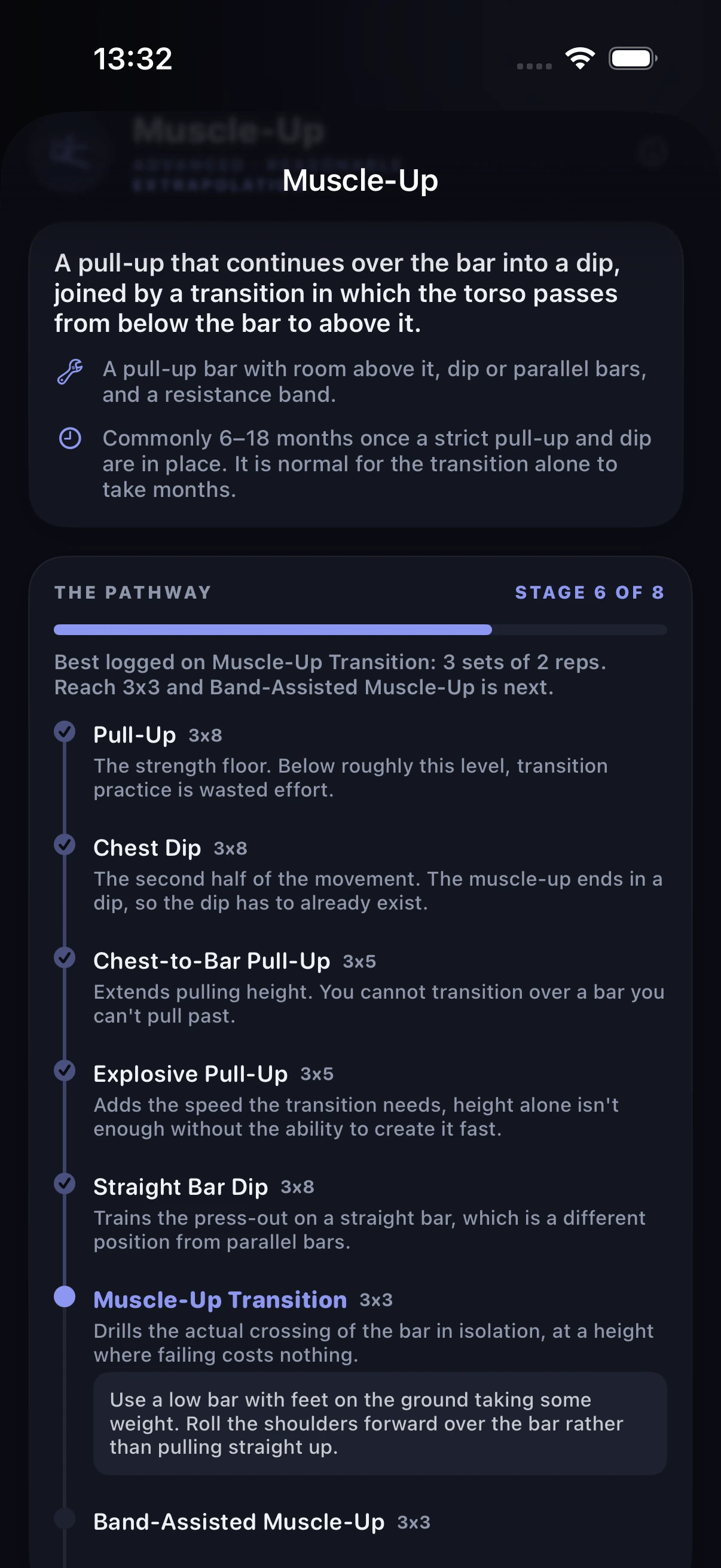
Choose a skill such as the Muscle-Up and EmberRise lays out the whole progression. You always see your current stage, its target and what comes next, and the practice is scheduled inside your weekly cycle alongside your gym work.
Muscle-Up
Stage 6 of 8- Pull-Up 3×8
- Chest Dip 3×8
- Chest-to-Bar Pull-Up 3×5
- Explosive Pull-Up 3×5
- Straight Bar Dip 3×8
- Muscle-Up Transition 3×3 Current stage
- Band-Assisted Muscle-Up 3×3 Next
- Muscle-Up 3×1
How moving up works
When your logged sets clear a stage, EmberRise shows Ready to move up with two choices: Move up or Stay here. It never moves you on its own. Not sure where to start? Check my level asks a few questions and suggests a starting stage you can change.
15 Calisthenics Pathways are included, from Pull-Up, Dip and Pistol Squat to Handstand, Planche, Front Lever and Human Flag.
Flexibility and Mobility Pathways
Range that moves on by comfort.
Each Flexibility and Mobility Pathway is a ladder of timed holds. After a session you rate how the position felt. Two comfortable sessions in a row make the next stage a fair step, and moving up is always your tap.
- 8 Flexibility and Mobility Pathways: Pike, Front Split, Straddle, Pancake, Middle Split, Bridge, Front Oversplit and Needle.
- Range work is placed at the end of your session, after the lifting.
- A painful rating holds progression and offers to drop back a stage.
Front Split
Stage 3 of 5- 1 Low Lunge Hold 3 × 45 s
- 2 Couch Stretch 3 × 45 s
- 3 Half Split Hold 3 × 45 s
- 4 Supported Front Split 3 × 60 s
- 5 Front Split 3 × 60 s
How did the position feel?
- Comfortable
- You could hold the position, breathe normally, and come out of it under control.
- Challenging
- Hard work, shaky, or you had to grip your way through it. Not a problem, just not ready to move up.
- Painful
- Sharp, pinching, or pain in a joint rather than a stretch through the muscle.
The Front Split ladder and comfort answers exactly as defined in EmberRise, shown as an example. Not a screenshot.
History and insights
See the whole cycle, not just the last session.
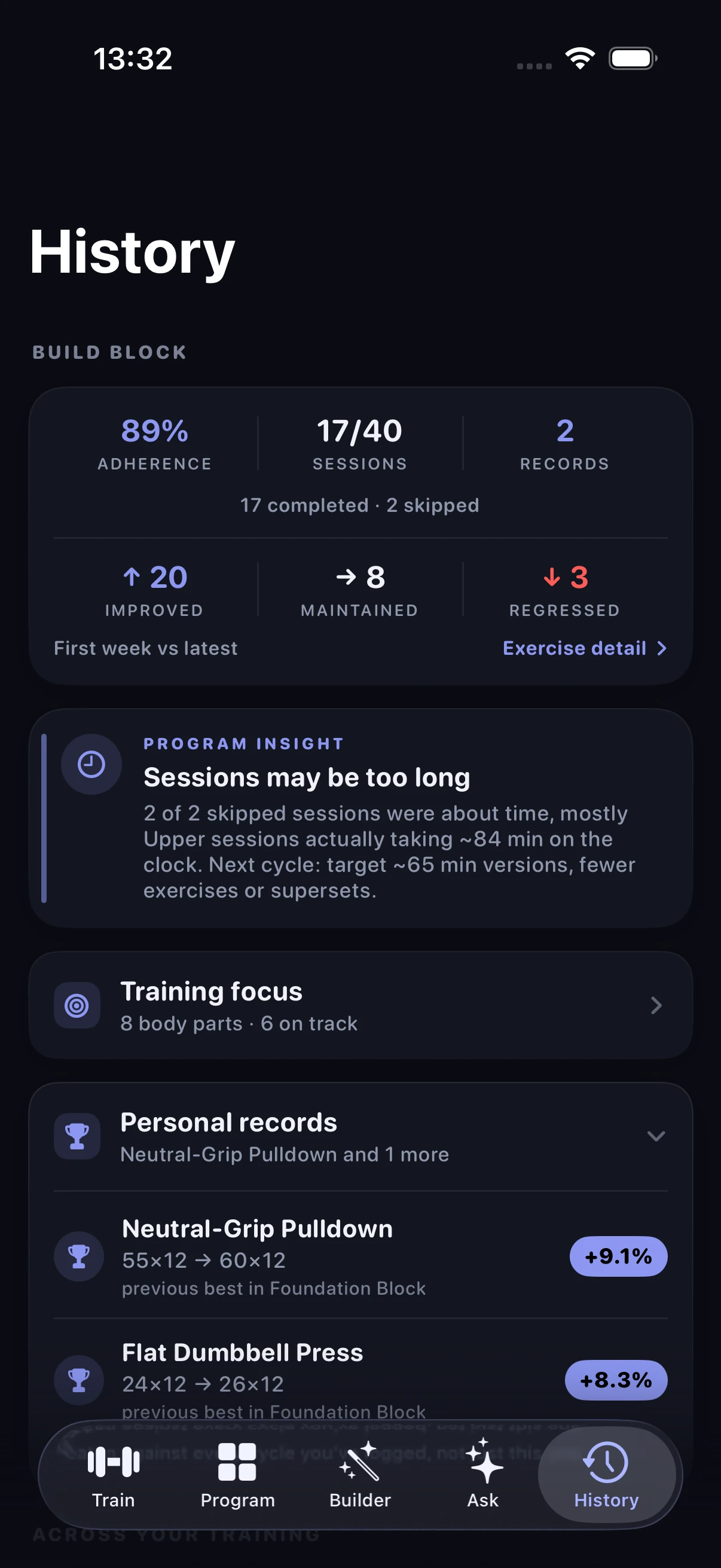
History brings each cycle together: adherence, completed and skipped sessions, personal records, and which exercises improved, held steady or slipped from your first week to your latest.
- Adherence counts the sessions you completed against the ones you skipped.
- Personal records are compared against every cycle you’ve logged, not just this one.
- Program insights point out patterns, such as sessions running longer than planned.
- Switch between kg and lb at any time. What you lifted never changes, and future suggestions use real weights in your new unit.
- Discomfort you report stays with your training and can make suggestions more cautious.
Pricing
One subscription. Complete access.
One EmberRise subscription unlocks the whole app. Monthly and annual plans include exactly the same features; they differ only in how you’re billed.
Monthly
Billed every month.
Everything EmberRise offers.
Local price shown in the App Store.
Annual
Billed once a year.
Everything EmberRise offers.
Local price shown in the App Store.
14 days free for eligible new subscribers
- Apple decides trial eligibility. The subscription screen shows whether the trial applies to you before you confirm.
- Billing is handled by the Apple App Store. Cancel before the trial ends and you won’t be charged.
- Cancel anytime in your Apple Account subscription settings.
- Restore Purchases is on the subscription screen and in Settings.
What happens the first time I do an exercise?
You set the baseline. EmberRise doesn’t invent a weight for an exercise you haven’t logged. If you’ve recently trained something similar, it may offer a deliberately light starting point for you to correct with your first set. From then on, suggestions follow what you log.
Does progression happen automatically?
Exercise targets are suggested, and you decide what you actually lift. Pathway stages never advance on their own: EmberRise tells you when you’re ready, and moving up is always your choice.
Does Ember read my training data?
When you ask about your own training, Ember can draw on your program, your logs and the app’s current suggestions. For general training questions it doesn’t load your logs. Ember needs an internet connection.
How does the 14-day free trial work?
Eligible new subscribers get 14 days free. Apple decides eligibility, and the subscription screen shows whether the trial applies before you confirm. If you don’t cancel before it ends, the subscription you chose begins.
How do I cancel or restore a subscription?
Cancel in your iPhone’s Settings: tap your name, then Subscriptions, then EmberRise. Deleting the app doesn’t cancel it. To restore, tap Restore Purchases on the subscription screen or in Settings. Step-by-step help.
What happens to my data if I change phones?
You sign in with Apple or Google. Your programs and training history are backed up to your account and restored when you sign in on another device. Logging a workout works without a connection; syncing and Ember need one. Ember conversations stay on the device where they happened.
How do I delete my account?
In EmberRise, tap the gear icon on the Train tab to open Settings, then Data & Privacy, then Delete Account. This deletes your EmberRise account data and can’t be undone. It doesn’t cancel an App Store subscription. More detail.
Does EmberRise provide medical advice?
No. EmberRise provides fitness and training information only. It doesn’t diagnose conditions, provide treatment or replace advice from a qualified healthcare professional. If you report pain, suggestions may become more cautious; that is a training safeguard, not a medical assessment.
Who can use EmberRise?
Anyone aged 16 or over can create an EmberRise account; it isn’t available to anyone under 16. If you’re under 18, use it with a parent or guardian’s permission. On iOS 26 and later it asks Apple to share your age range (never your date of birth); if you don’t share one, you confirm you’re 16 or over yourself. It doesn’t offer parental controls. It runs on iPhone with iOS 18 or later. Questions? Email emberriseapp@gmail.com.

Build your next cycle with clarity.
Download EmberRise on the App Store (opens in a new tab)14-day free trial for eligible new subscribers.